
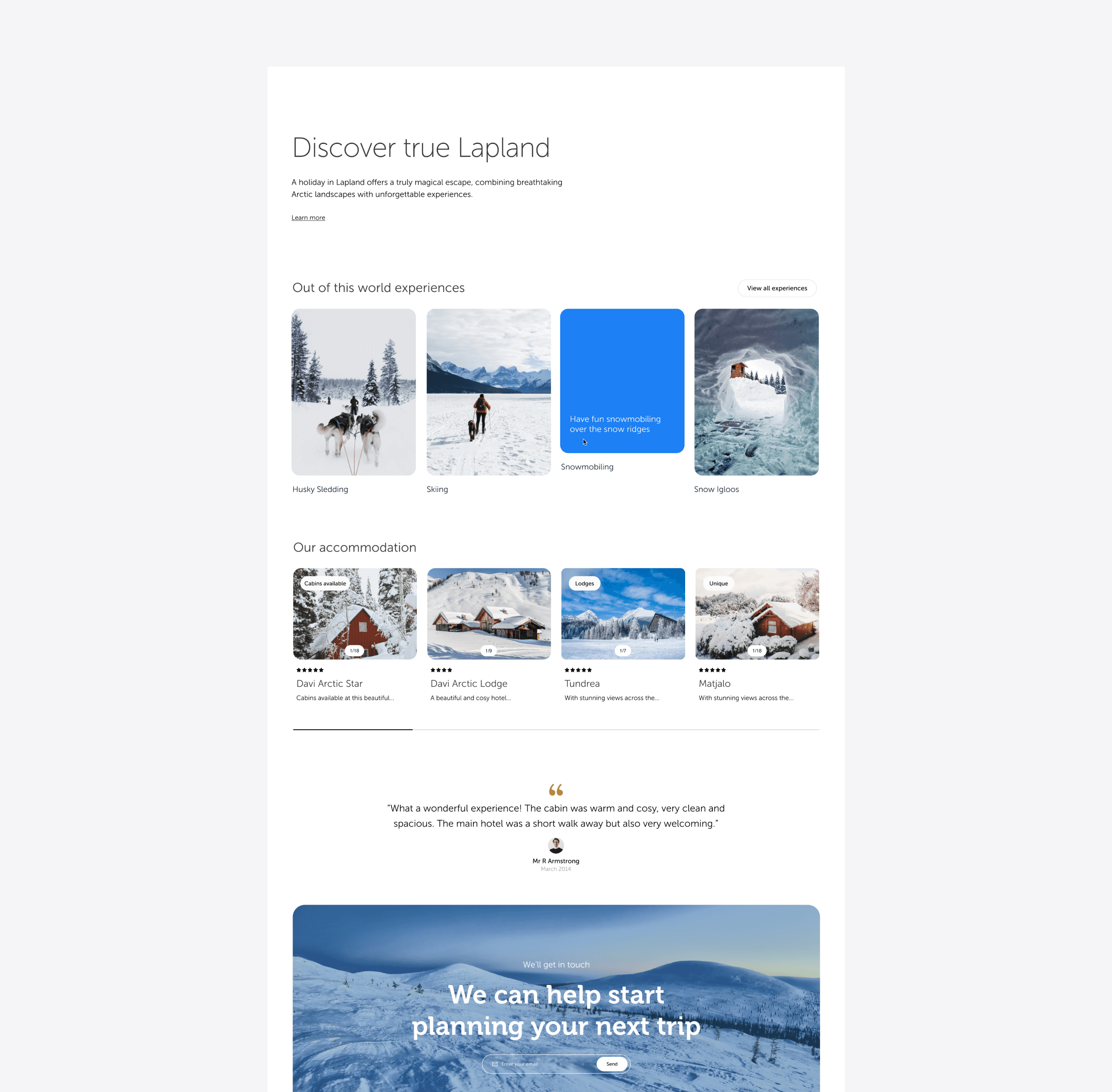
The brief was clear: restore direct bookings, improve conversion, and grow average booking value - while reducing support dependency through a better post-booking experience.
The data told a clear story before I'd done a single design. A custom GA4 funnel revealed abandonment rates of 73.8% at the availability step and 73.5% at passenger details - both well above the 50% threshold that flags a serious UX issue.
Hotjar recordings confirmed what the numbers suggested: users were frustrated, confused, and leaving before they could book. The booking flow wasn't just underperforming - it was actively losing customers.
Role -
Lead Product Designer
Deliverables -
Ecommerce Design
Data insight & Optimisation
Stakeholder workshops
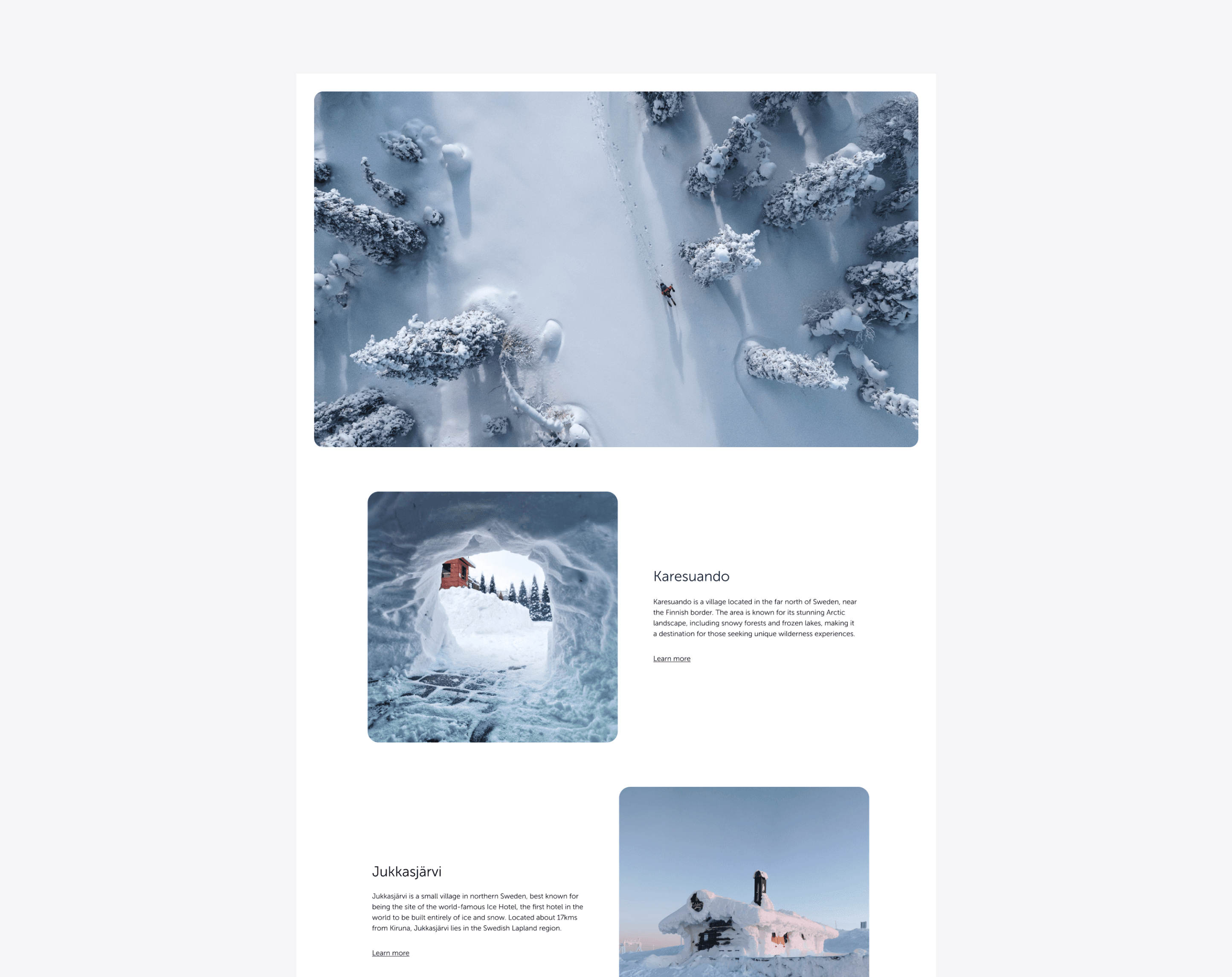
Research & discovery
The customer journey map - built in collaboration with the client - connected user pain points to business goals across five stages: research, booking, pre-travel, during tour, and post-tour.
It became the strategic backbone of the redesign, and the source of four measurable KPIs agreed at the start of the project.
23%
Reduction in pre-travel support
92%
Positive customer reviews target
9%
Increase in CTR to booking flow
35%
Increase in online bookings
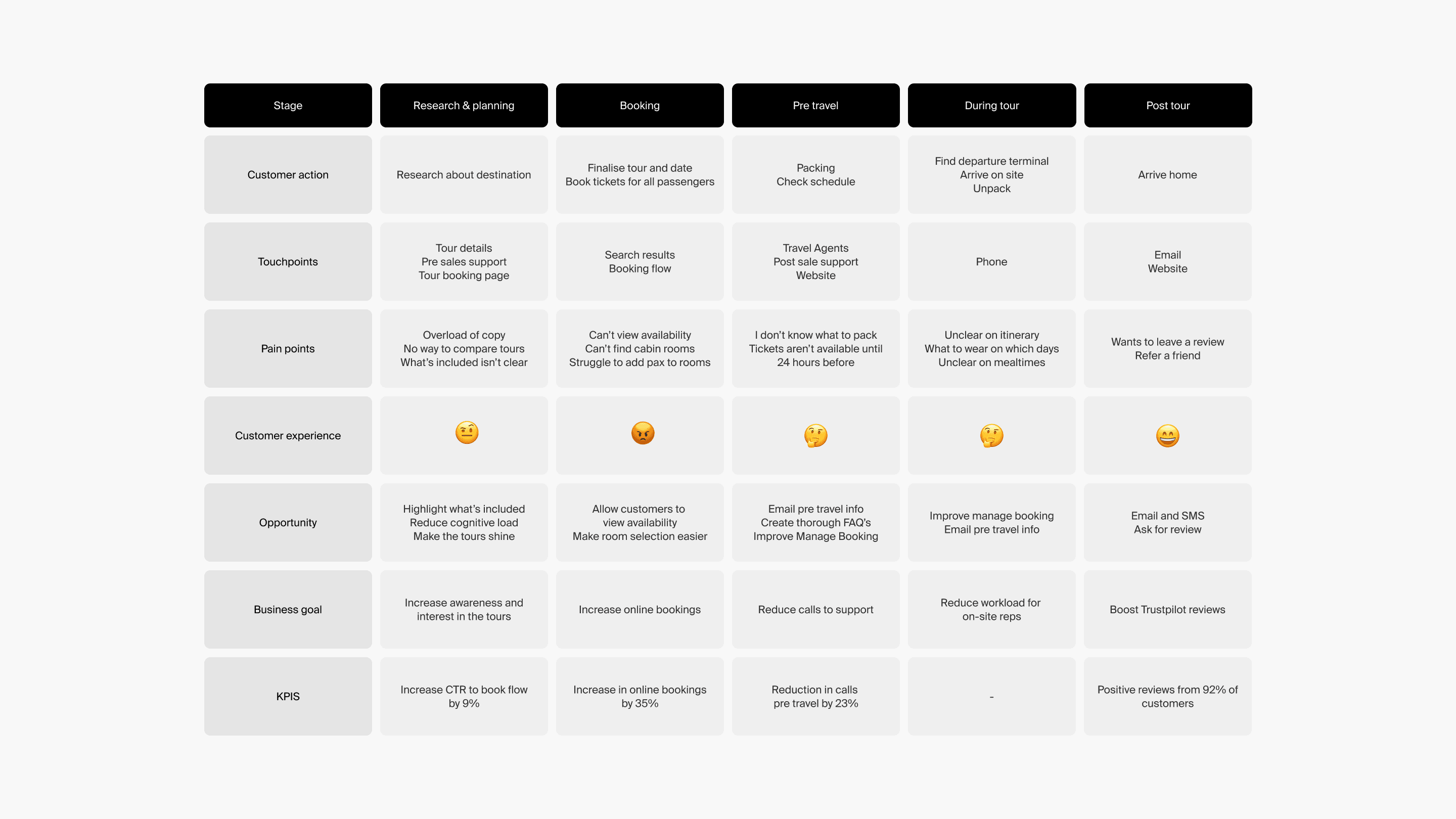
Customer journey map developed collaboratively with the client, mapping pain points and KPIs across five stages from research through to post-tour.
Displaying availability
The availability page had a 73.8% abandonment rate on desktop, rising to 82% on mobile. Users couldn't filter by party size, so they were hitting unavailable dates repeatedly. The ideal fix required significant API rewrites - not feasible immediately. Working closely with engineers, I redesigned the flow so users selected their departure date and airport first, which allowed the system to return availability matched to their group size. It added a step, but removed the dead ends.
Tour selected with # guests
Calendar view with airport
Book flow step 1 / Flight details
Book flow step 2 / Accom selection
Book flow step 3 / Choose Accom type
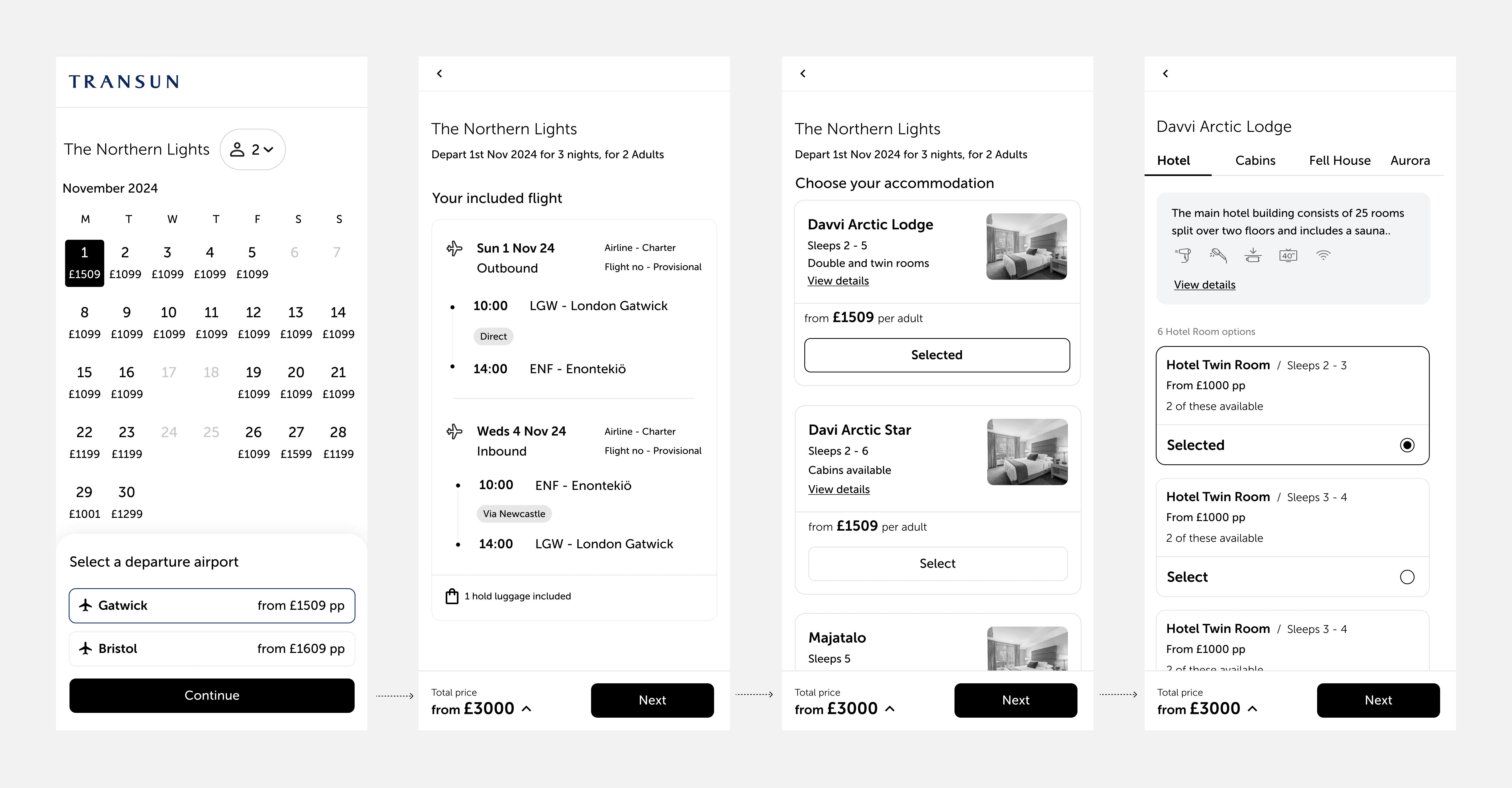
New booking flow screens from calendar selection through to accommodation type. It's probably worth mentioning, I'd use AI to create mock ups like these for conversations with Engineers.
Excursion cards
7 out of 10 usability test participants couldn't identify what was included in the tour price and what cost extra. I redesigned the excursion card with clearer pricing hierarchy, a condensed "good to know" section, an image gallery and video, and a prominent "add to booking" CTA. The redesigned card also appeared in the new Manage My Booking dashboard, so customers could add excursions post-booking without calling.
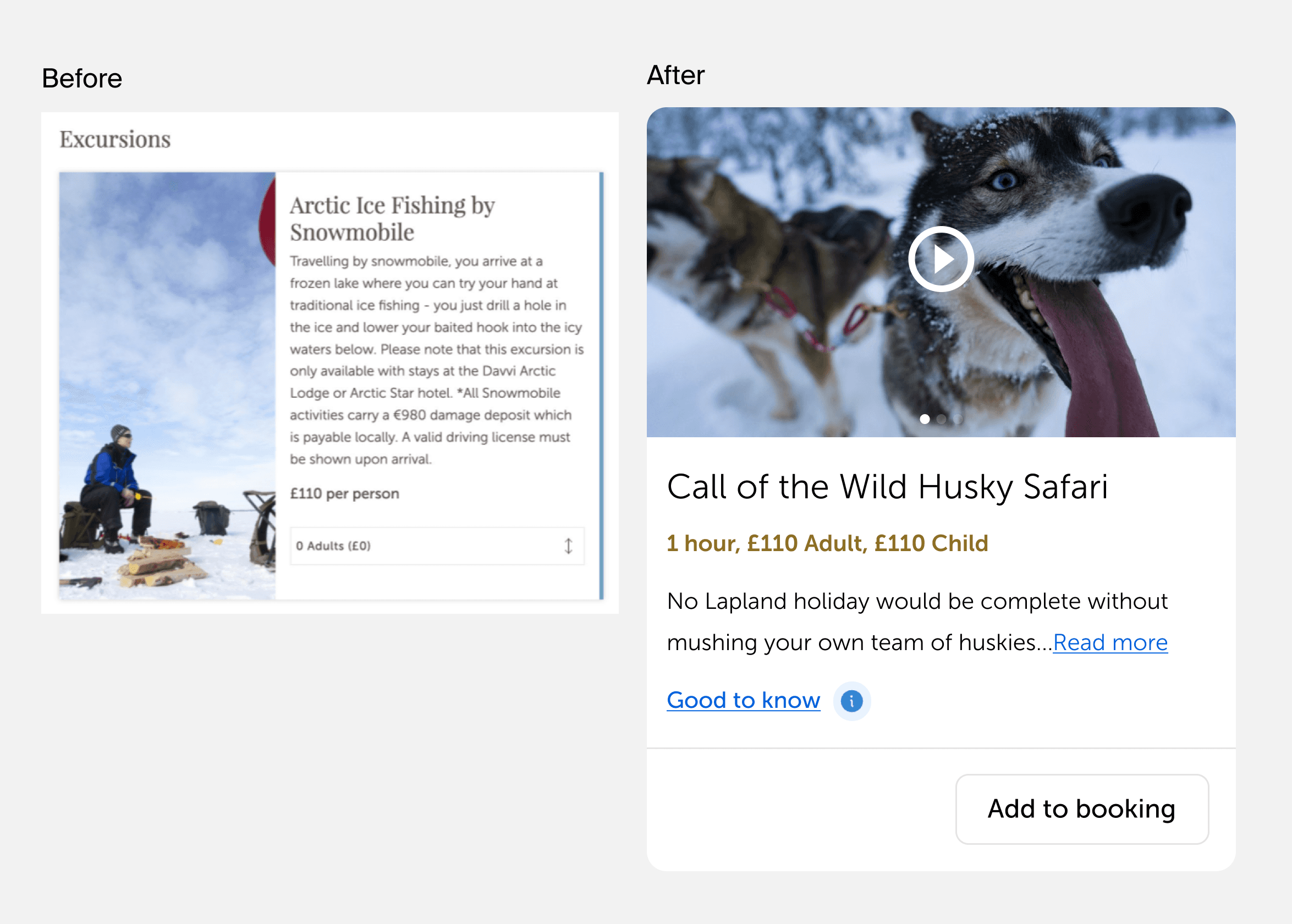
Before - text-heavy card with unclear pricing. After - streamlined card with image gallery, "good to know" section, and clear add-to-booking CTA.
Accomodation selection
6 out of 10 participants found the hotel room selection and party allocation confusing. I redesigned the screen to present each accommodation type in a clear tabbed layout with visual comparisons, pricing, and availability. A revised UI was tested in a second round of guerrilla testing and achieved 8 out of 10 - up from 6 out of 10 first time round.
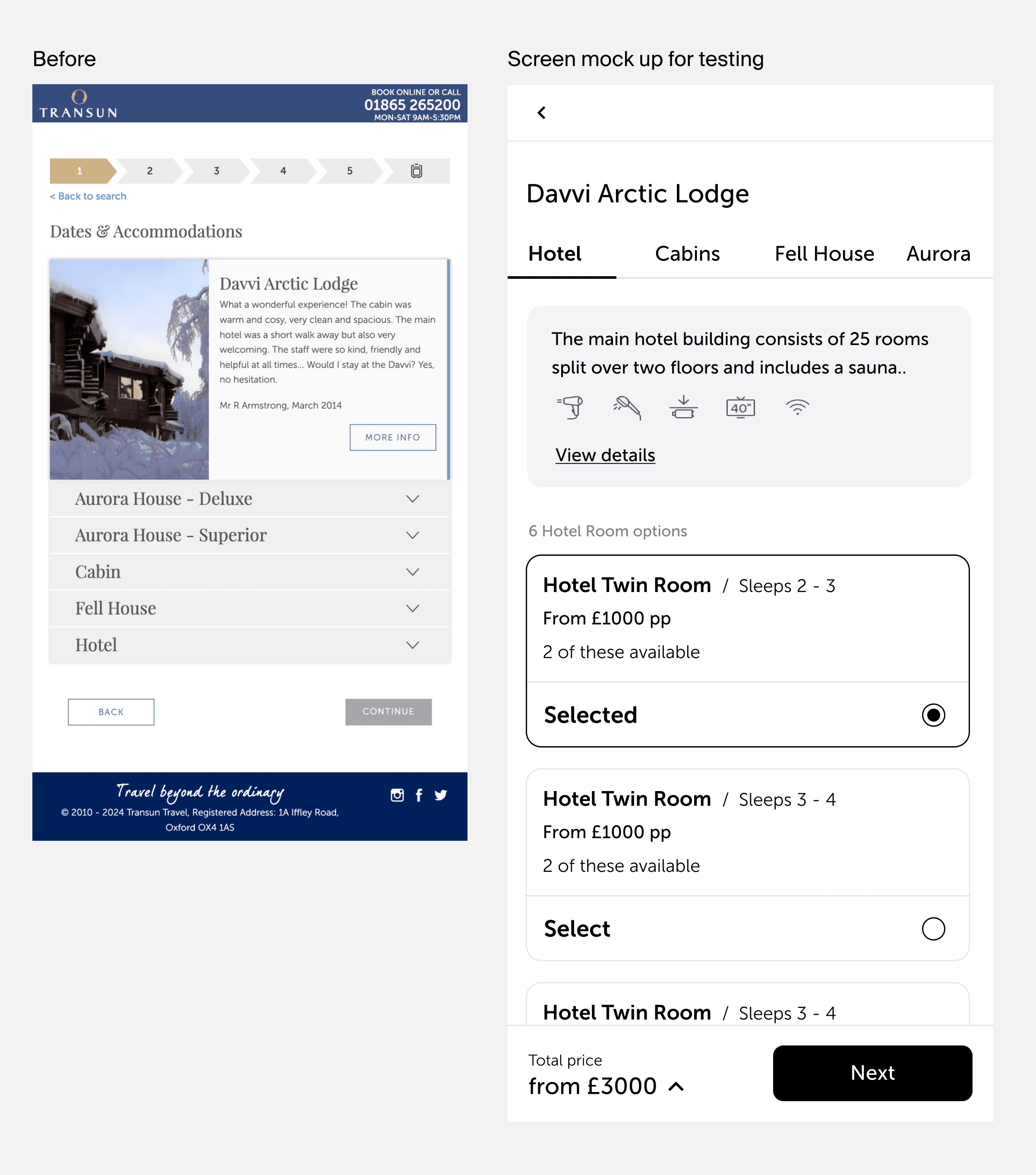
Search results
Heatmap data showed that sidebar filters were the most engaged element on the search results page, but CTR dropped sharply after the first two results - and on mobile, most users interacted only with the first. I redesigned the results page as a visual grid, leading with strong imagery and surfacing key information - price, duration, and availability - without requiring users to click through to find it.
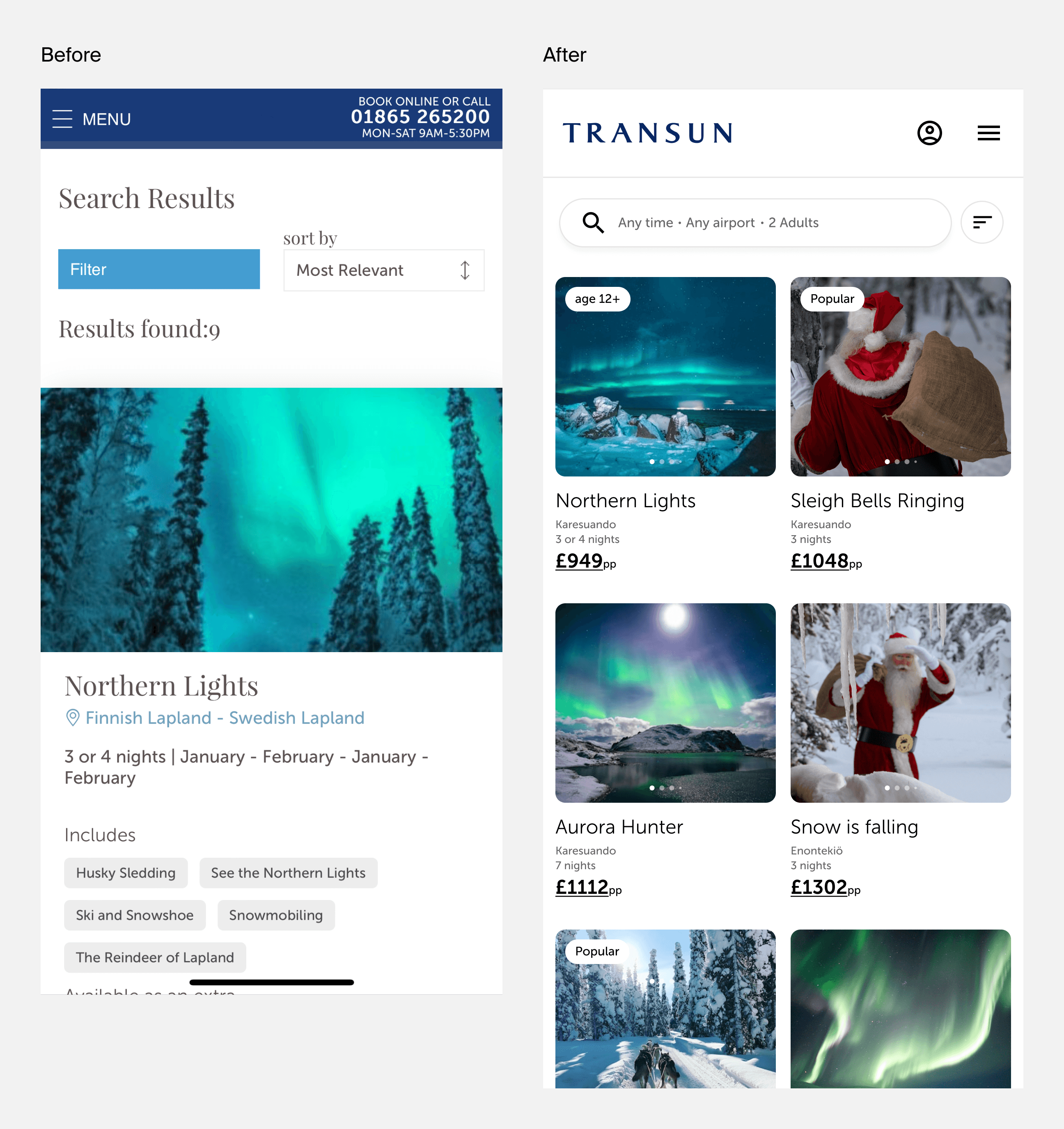
Process
User flows mapped every possible path through the booking journey - including edge cases - and became the primary tool for aligning the team on what was technically feasible. Once approved by stakeholders, I moved into mid-fidelity Figma designs for usability testing, iterating quickly before moving to final UI.
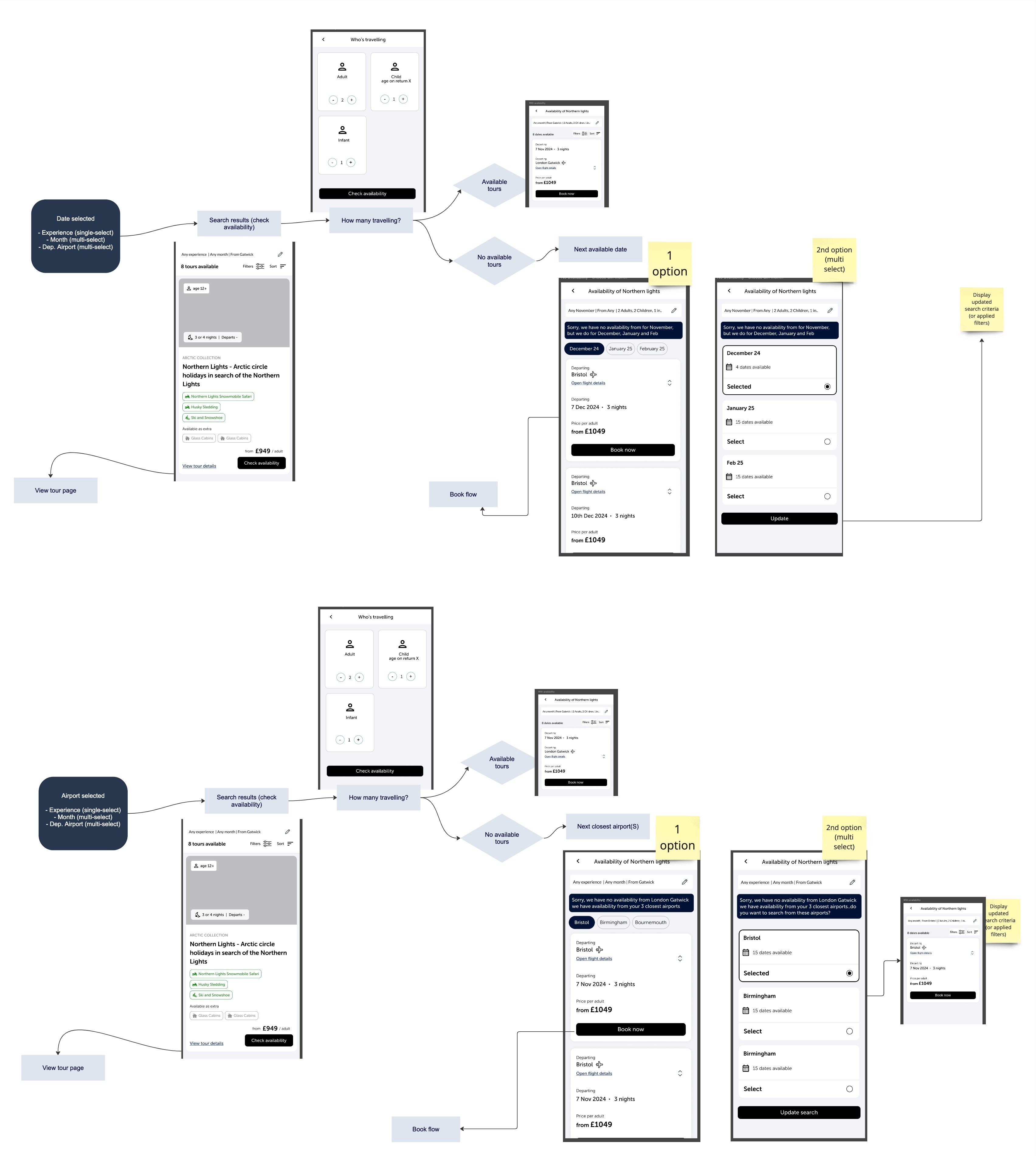
Low-fidelity prototypes exploring multiple design solutions which is useful for discussing with stakeholders, engineers and planning what we would user test.
Design
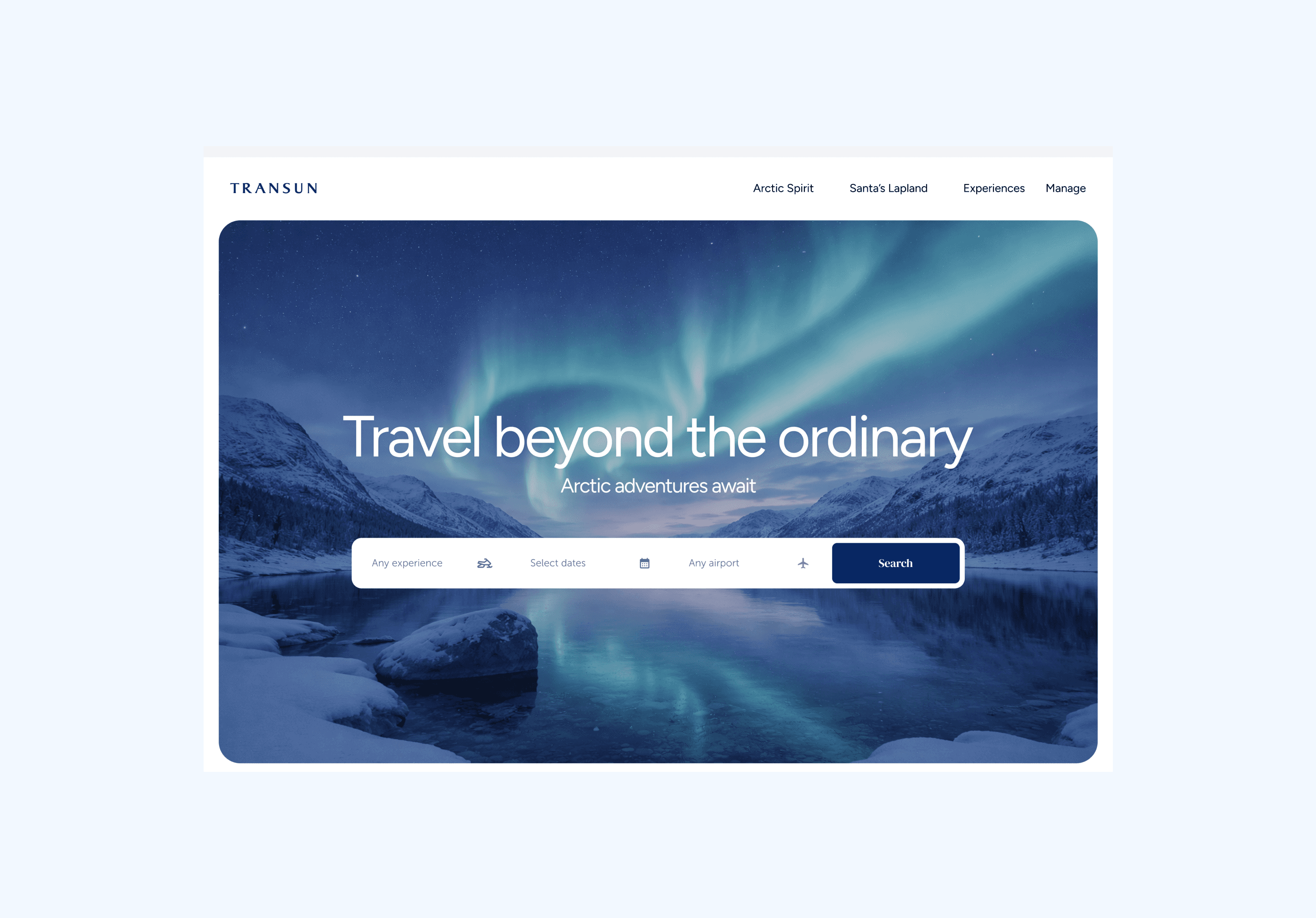
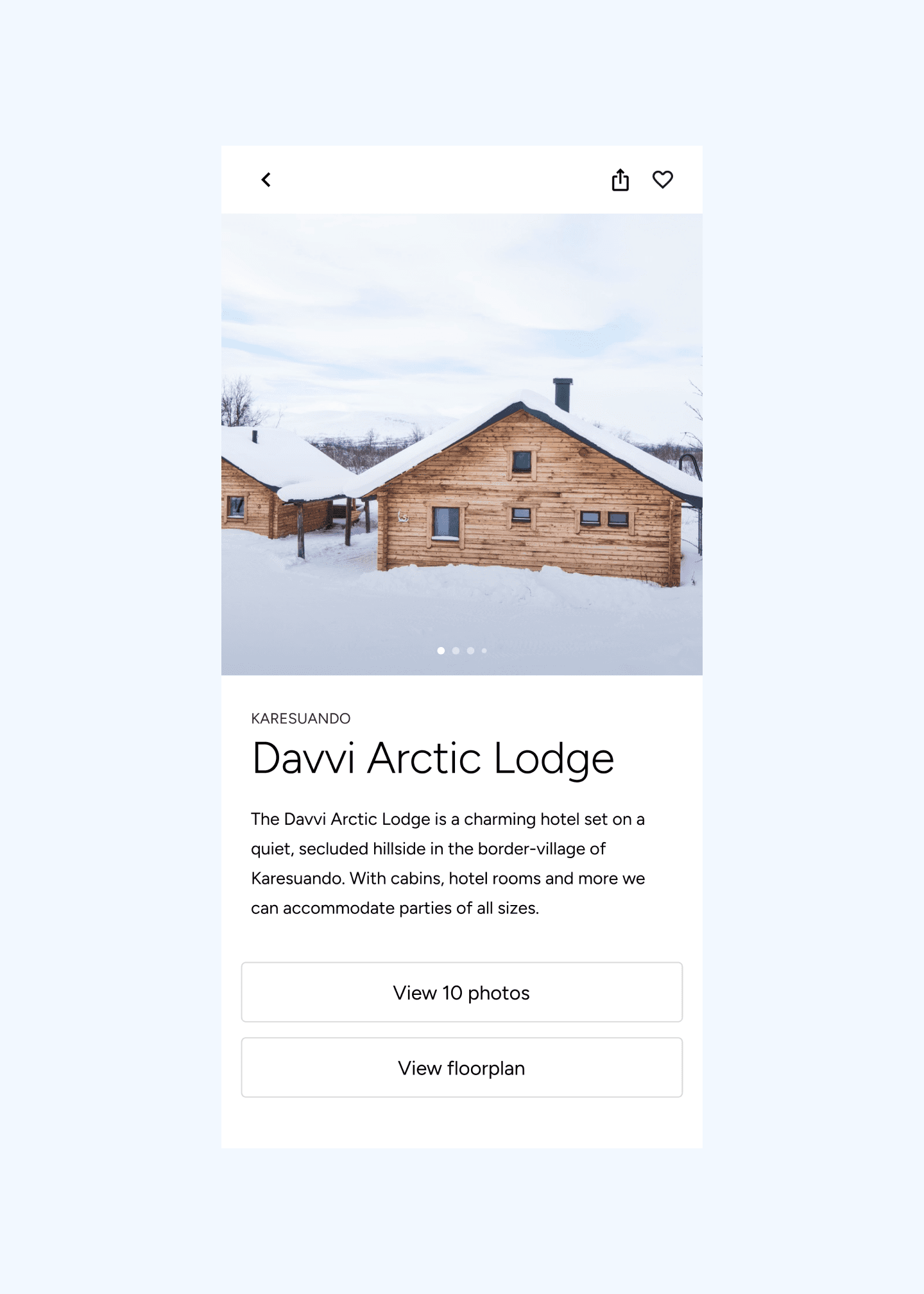
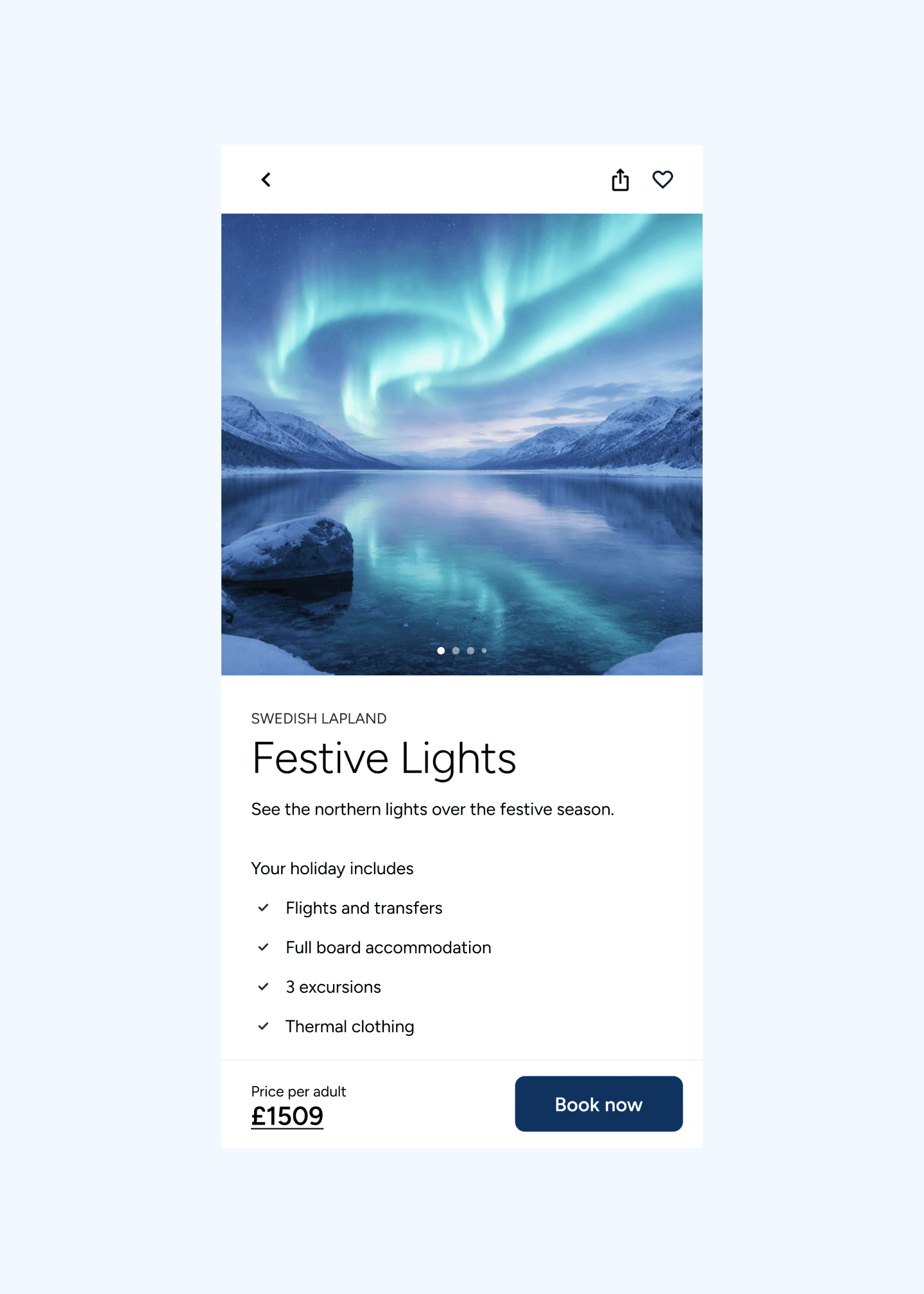
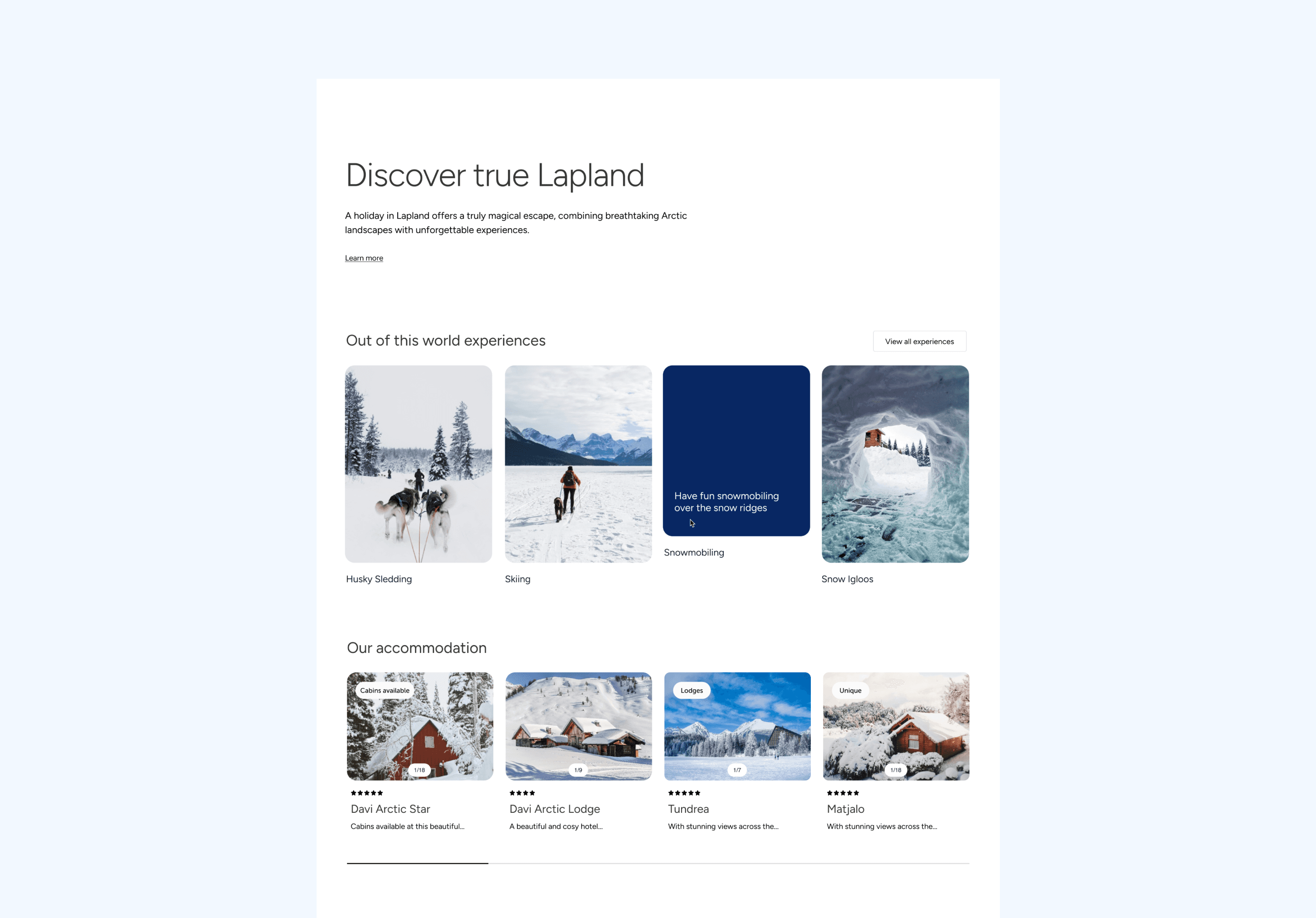
With technical constraints resolved and usability testing complete, the final designs focused on three things: immersive imagery, a simplified booking flow, and a mobile-first experience that matched how Transun's customers actually browse.
Impact
The four KPIs agreed at the start of the project set a clear benchmark for success. Google Analytics, Hotjar, and post-booking surveys are in place to track performance from launch - with the redesign positioned to hit all four.
The biggest challenge on this project wasn't design - it was constraint. Working within a legacy API meant that some ideal solutions weren't possible, and the real skill was finding approaches that served users well within what was technically feasible.
Collaborating with engineers before a single screen was designed was the decision I'm most glad we made. It meant fewer surprises later and a final product that could actually be built.